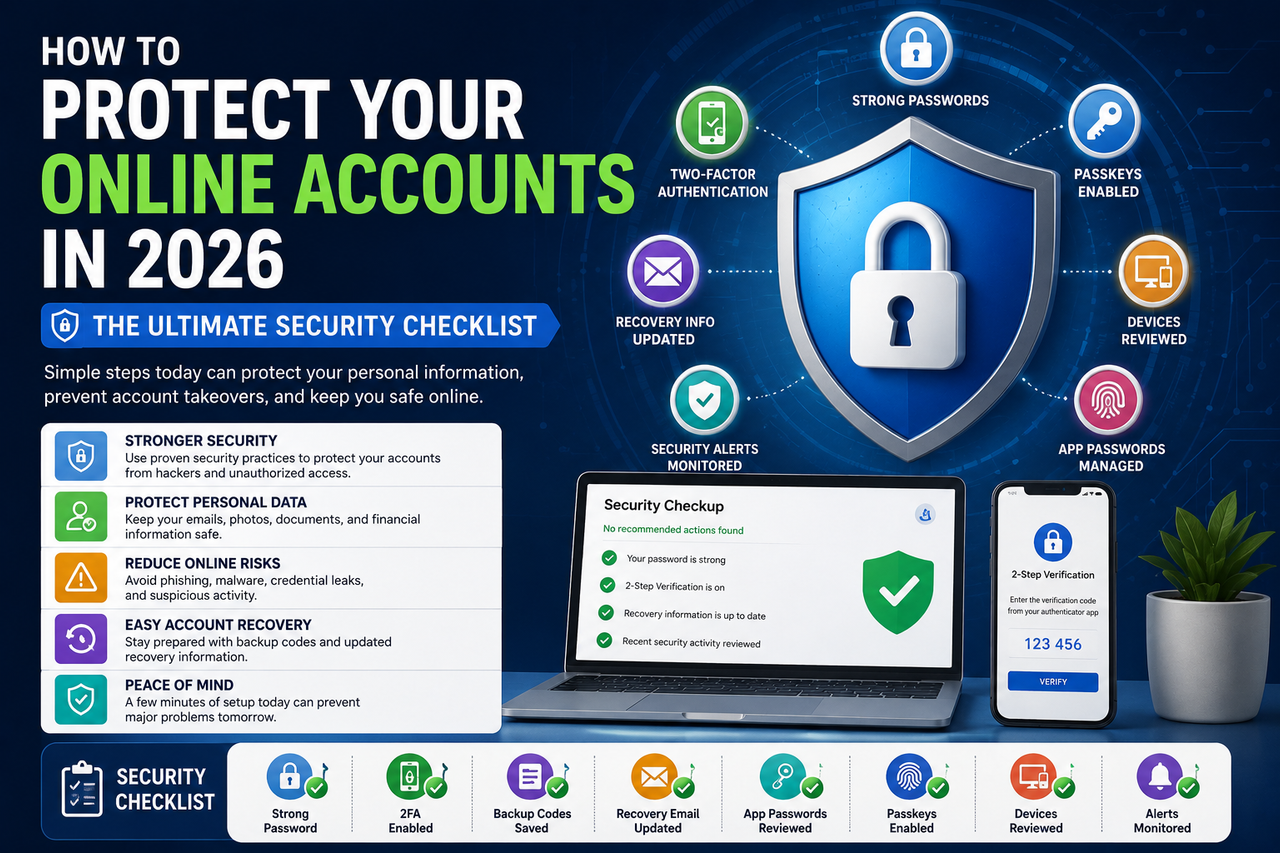
How to Protect Your Online Accounts in 2026: The Ultimate Security Checklist
Protect your online accounts in 2026 with this practical security checklist. Learn how to use 2FA, passkeys, backup codes, app passwords, strong passwords, and phishing prevention techniques to keep your personal and business accounts safe.
How to Protect Your Online Accounts in 2026: The Ultimate Security Checklist
Published: June 18, 2026
Updated: June 18, 2026
Category: Online Security
Reading Time: 10 Minutes
How to Protect Your Online Accounts in 2026: The Ultimate Security Checklist
Online accounts have become an essential part of everyday life. They store emails, financial information, private conversations, business documents, cloud backups, and social media profiles.
Unfortunately, cybercriminals continue to improve their techniques through phishing campaigns, malware infections, credential leaks, and social engineering attacks.
The good news is that securing your online accounts does not require advanced technical skills. By following a few proven security practices, users can significantly reduce the risk of unauthorized access.
At AccsRush, we regularly publish educational resources about online privacy, email security, account protection, and authentication technologies to help users stay informed and secure.
1. Enable Two-Factor Authentication
Two-Factor Authentication (2FA) adds an additional verification step after entering your password.
Instead of relying only on a password, users must also verify their identity through a second method.
Benefits include:
✔ Protection against leaked passwords
✔ Reduced phishing risks
✔ Improved account recovery options
✔ Better overall account security
Popular 2FA methods include:
Authentication applications
Security keys
Trusted devices
Backup codes
Related guide:
👉 https://accsrush.com/blog/what-is-2fa-guide-2026/
2. Use Strong and Unique Passwords
Weak passwords remain one of the most common causes of account compromise.
Avoid passwords such as:
123456
password123
qwerty
abc123
A secure password should contain:
✔ Uppercase letters
✔ Lowercase letters
✔ Numbers
✔ Symbols
Example:
X9@Lp#72Wq!m
Password managers can generate and safely store complex passwords.
Popular password managers include:
Bitwarden
1Password
KeePass
Dashlane
3. Save Backup Codes
Backup codes provide emergency access if you lose your primary authentication device.
Backup codes become useful when:
Phones are lost
Security keys stop working
Authenticator apps are accidentally removed
Store backup codes:
✔ Offline
✔ In an encrypted vault
✔ Printed and kept in a secure location
4. Keep Recovery Information Updated
Recovery emails and phone numbers simplify account restoration.
Many users lose access simply because they forget to update old phone numbers.
Review these settings regularly.
Related guide:
👉 https://accsrush.com/blog/what-is-a-recovery-email-and-why-is-it-important/
5. Review Connected Devices
Most online platforms allow users to review active sessions.
Examples include:
Google Account
Apple ID
Microsoft Account
Remove unfamiliar devices immediately.
Check devices at least once every three months.
6. Monitor Security Alerts
Modern platforms notify users when suspicious activity occurs.
Pay attention to alerts regarding:
Password changes
Login attempts
Device additions
New locations
App authorizations
Ignoring security notifications may allow attackers to maintain long-term access.
7. Use App Passwords Carefully
Certain applications require App Passwords instead of your primary password.
Examples include:
Desktop email clients
Printers
Calendar synchronization tools
Legacy applications
Best practices:
✔ Create separate App Passwords for different applications
✔ Delete unused passwords
✔ Keep Two-Factor Authentication enabled
Read more:
👉 https://accsrush.com/blog/what-is-an-app-password-in-gmail/
8. Beware of Phishing Emails
Phishing attacks remain one of the biggest online threats.
Attackers often imitate trusted companies and services.
Before clicking links:
✔ Verify the domain name
✔ Look for HTTPS
✔ Check sender addresses carefully
✔ Avoid downloading unknown attachments
Common phishing examples:
Fake banking alerts
Account suspension notices
Invoice scams
Shipping notifications
9. Enable Passkeys
Passkeys are becoming a preferred alternative to traditional passwords.
Advantages include:
✔ Faster sign-ins
✔ Improved resistance against phishing
✔ Better user experience
✔ Reduced password fatigue
Passkeys are currently supported by Google, Apple, Microsoft, and many other major platforms.
10. Avoid Public Wi-Fi Risks
Public Wi-Fi networks can expose personal information.
Recommendations:
✔ Use a VPN
✔ Avoid accessing financial services
✔ Log out after each session
✔ Disable automatic Wi-Fi connections
Common Security Mistakes Users Make
Many users unintentionally weaken their account security.
Examples include:
Reusing passwords
Ignoring recovery information
Saving backup codes in cloud storage
Clicking links without verification
Sharing verification codes
Avoiding these mistakes greatly improves account safety.
Security Checklist
TaskStatusStrong Password✅2FA Enabled✅Backup Codes Saved✅Recovery Email Updated✅App Passwords Reviewed✅Passkeys Enabled✅Devices Reviewed✅Security Alerts Enabled✅
Frequently Asked Questions
What is the best way to secure online accounts?
Using strong passwords together with Two-Factor Authentication remains one of the most effective methods.
Are passkeys better than passwords?
Yes.
Passkeys offer stronger resistance against phishing attacks and eliminate the need to remember complex passwords.
How often should I review security settings?
At least every three months.
Should I save backup codes online?
No.
Backup codes should ideally be stored offline or inside an encrypted password manager.
Is public Wi-Fi dangerous?
Public networks can expose sensitive information if proper precautions are not taken.
Final Thoughts
Account security is not something users should configure once and forget.
Regularly reviewing passwords, authentication methods, recovery information, and connected devices can significantly reduce the risk of compromise.
Small improvements today can prevent major security problems tomorrow.
Explore More Security Guides
AccsRush publishes educational resources covering authentication methods, account recovery, online privacy, and cybersecurity best practices.
Visit https://accsrush.com to discover more articles and tutorials.
Written By
AccsRush Editorial Team
AccsRush publishes educational content focused on Gmail security, account recovery, online privacy, and digital identity management.