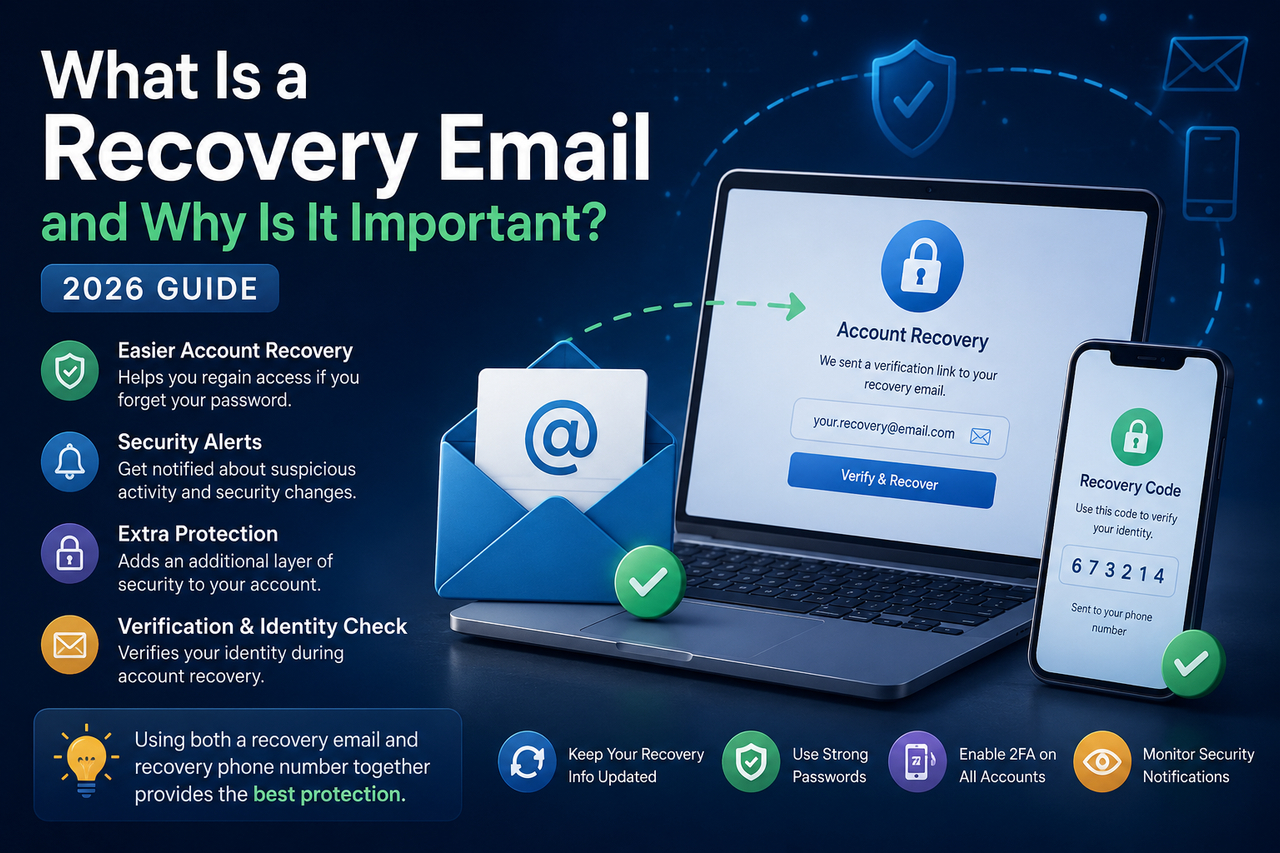
What Is a Recovery Email and Why Is It Important? Complete Guide (2026)
A recovery email helps you regain access to your account if you forget your password or suspicious activity is detected. Learn how recovery emails work, why they are important, and the best practices for securing your online accounts in 2026.
What Is a Recovery Email and Why Is It Important? (2026 Guide)
Published: June 28, 2026
Updated: June 28, 2026
Category: Gmail Security
Reading Time: 9 Minutes
What Is a Recovery Email and Why Is It Important?
Losing access to an email account can be frustrating, especially if it contains important messages, business communications, cloud storage, or access to other online services.
One of the easiest ways to improve account security and simplify the recovery process is by adding a recovery email.
A recovery email acts as a backup contact method that helps verify your identity if you forget your password, lose access to your device, or Google detects suspicious activity.
In this guide, you'll learn what a recovery email is, how it works, why it's important, and the best practices for keeping your account secure.
At AccsRush, we regularly publish educational content about account security, online privacy, and authentication methods to help users better understand modern account protection.
What Is a Recovery Email?
A recovery email is an alternate email address linked to your primary account.
It allows the account provider to contact you when:
You forget your password.
Someone attempts to access your account.
Unusual login activity is detected.
You need to verify your identity.
Security settings are changed.
Instead of relying only on your password, a recovery email provides another way to regain access to your account.
Why Is a Recovery Email Important?
Adding a recovery email provides several important security benefits.
Easier Account Recovery
If you forget your password, a recovery email can receive verification codes or recovery instructions.
Additional Security Layer
A recovery email helps confirm that you are the legitimate account owner.
Security Notifications
Many providers send alerts about:
New device logins
Password changes
Recovery attempts
Suspicious activity
Receiving these alerts quickly allows you to respond before further damage occurs.
How Does a Recovery Email Work?
A typical recovery process looks like this:
You click Forgot Password.
The provider verifies your identity.
A recovery code or verification link is sent to your recovery email.
You confirm ownership.
You reset your password and regain access.
This process reduces the chances of permanently losing your account.
Recovery Email vs. Recovery Phone Number
Both a recovery email and a recovery phone number are valuable account recovery methods, and using both together provides the strongest protection.
Recovery Email
A recovery email is useful because it can:
Receive password reset links and verification codes.
Notify you about suspicious login attempts and security changes.
Continue working even if you lose access to your phone or SIM card.
Be accessed from almost any device with an internet connection.
Recovery Phone Number
A recovery phone number also helps secure your account by:
Receiving verification codes through SMS or phone calls.
Confirming your identity during the account recovery process.
Providing an additional recovery option if your recovery email is unavailable.
However, if you lose your phone, change your number, or experience SIM-related issues while traveling, accessing your account may become more difficult.
Which One Should You Use?
The best approach is to keep both a recovery email and a recovery phone number up to date. Having multiple recovery methods increases your chances of regaining access if one method becomes unavailable.
For maximum security, regularly review your recovery information and ensure both your recovery email and recovery phone number are current and accessible.
How to Choose a Good Recovery Email
Not every email account should be used as a recovery address.
Choose an email that:
Is active and regularly monitored
Uses a strong, unique password
Has Two-Factor Authentication enabled
Is not shared with others
Avoid using an old or inactive address that you no longer control.
Best Practices for Recovery Emails
Keep It Updated
Review your recovery information every few months to ensure it is still accessible.
Protect the Recovery Account
A recovery email is only useful if it is also secure.
Enable Two-Factor Authentication and use a unique password.
Monitor Security Notifications
Don't ignore alerts about unusual activity or password changes.
Review Connected Devices
Regularly remove devices you no longer recognize.
Common Mistakes to Avoid
Many users unintentionally weaken their account security by:
Using an inactive recovery email
Forgetting the recovery email password
Reusing passwords across multiple accounts
Ignoring security alerts
Never reviewing recovery settings
Avoiding these mistakes helps improve long-term account protection.
Frequently Asked Questions
Can I have more than one recovery email?
Some services allow multiple recovery methods, while others support only one recovery email. Check your provider's account settings.
Is a recovery email the same as my primary email?
No. A recovery email is a separate address used only for account recovery and security notifications.
Should my recovery email have Two-Factor Authentication?
Yes. Protecting the recovery email is just as important as protecting your primary account.
How often should I review my recovery information?
Review it every three to six months or whenever you change devices or contact information.
Related Articles
Continue learning about account security:
What Is 2FA? Complete Guide to Two-Factor Authentication in 2026
What Is an App Password in Gmail? Complete Guide for 2026
How to Protect Your Online Accounts in 2026: The Ultimate Security Checklist
USA 2014 Gmail Accounts with 2FA: Features, Security Benefits and Best Practices
Final Thoughts
A recovery email is one of the simplest yet most effective tools for protecting your online accounts.
Keeping your recovery information current, enabling Two-Factor Authentication, using strong passwords, and reviewing security settings regularly can significantly reduce the risk of losing access to your accounts.
Whether you use your account for personal communication or business, investing a few minutes in your recovery settings today can save hours of frustration in the future.
Explore More Security Guides
Visit AccsRush.com to discover additional educational resources covering Gmail security, account recovery, authentication methods, and online privacy.
Written By
AccsRush Editorial Team
AccsRush publishes educational content focused on account security, email protection, authentication methods, and digital privacy.